On January 23, 1984, Francesco Moser set a new Hour Record of 51.151km/h at altitude in Mexico City. What probably contributed to that success was the theory developed by Prof. Conconi. He theorized that heart rate could be correlated with perceived exertion in order to allow Moser to cycle at the absolute maximum of his capability. Ever since, training with a heart rate monitor became more and more popular.
Training with a heart rate monitor has its limitations. Suppose, last week you drove your favorite time trail lap for 20 minutes at an average heartbeat of 155 beats per minute (bpm). This week you did the same test, riding the same distance but your heart rate was 5 beats higher on average. Does that mean that your condition lowered ? The answer is that you can't be sure. Maybe you had more headwind and had to push harder to ride at the same speed. Maybe you ate something before the test that still had to be digested. Maybe you didn't sleep well ? Maybe you were stressed. Heart rate is only an indication what is going on in the black box of your body but is influenced by a lot of external parameters that can't be controlled during a ride.
Enter the power meters. They measure exactly what power you're pushing instantaneously. In case of headwind, you'll drive slower but the power readings will be higher. It allows to assess if your body is performing better or not without guessing. Therefore power meters allow to train more scientifically. Power meters give objective values about the performance and hence can be better trusted to evaluate your training efforts.
A central curve helping to gauge your performance is the power duration curve. How many power can you generate for how long ? A typical power curve looks like this:

The horizontal axis is the duration in seconds (usually on a logarithmic scale) and the vertical axis is the delivered power in Watt. The maximum power one can generate for 1 second during a sprint is called the Peak Power. The power one can deliver for one hour is called the Functional Threshold Power (FTP). The limit of the power one can generate forever is called the Critical Power (CP).
But how do we obtain such a curve ? If you record your rides with a computer, software can derive this from the measured values. Since curves of different riders show up similarly, researcher started to believe a model could predict the curve based on some measurements. For example, record how much power you can delivers for 1 minute, 3 minutes and 20 minutes and the whole curve can be reconstructed. In the paper "Rationale and resources for teaching the mathematical modeling of athletic training and performance" by Clarke DC, Skiba PF contains a good overview of the state of the art. The formula to derive power in function of the duration is as follows:
$P = AWC (1/t) + CP$ where AWC is the Anaerobic Work Capacity in Joule, $t$ is the duration in seconds and CP is the Critical Power in Watt. The AWC (called W' nowadays) represents the finite amount of energy that is available above the critical power. CP is power that can be sustained without the fatigue for very long time (longer than 10 hours). See also the paper by Charles Dauwe, "Critical Power and Anaerobic Capacity of Grand Cycling Tour Winners". Recently, @acoggan, @veloclinic and @djconnel are working on more sophisticated models.
@veloclinic proposed in "Cycling Research Study Pre Plan":
$P(t) = \frac{W’_1}{t+\tau_1} + \frac{W’_2}{t+\tau_2}$
and since $W’ = P \times \tau $
$P(t) = \frac{P_1 \tau_1}{t+\tau_1} + \frac{P_2 \tau_2}{t+\tau_2}$
@veloclinic guesses that the new Trainings Peak model to be included in WKO4 is:
$P(t) = \frac{FRC}{t} (1-e^{-\frac{t}{\frac{FRC}{P_{max}-FTP}}}) + FTP + \alpha (t-3600)$
For more information about WKO's new model, watch the youtube video.
And Dan Connelly arrived at:
$P(t) = P_1 \frac{\tau_1}{t}( 1 - e^{-\frac{t}{\tau_1}} ) + \frac{P_2}{(1 + \frac{t}{\tau_2})^ {\alpha_2}}$
Fitting those models to my data, gives the following result (source code):

With some extra code, we can get the confidence interval of the models.
For the veloclinic model, the 95% confidence interval is between the dotted green lines (
source code):
The estimated veloclinic parameters and their 95% confidence interval are:
- $P_1$ = 291.910642398 Watt [252.385602829 331.435681968]
- $\tau_1$ = 28.6068269179 seconds [17.5113005392 39.7023532965]
- $P_2$ = 800.776804574 Watt [726.249462145 875.304147003]
- $\tau_2$ = 0.312268982434 seconds [-0.16239984039 0.786937805257]
The supposed WKO4 model gives this (
source code):
The estimated WKO4 parameters and their 95% confidence interval are:
- FRC = 20463.525586 Joule [13518.0176693 27409.0335028]
- $P_{max}$ = 1011.29658965 Watt [937.344413201 1085.2487661]
- FTP = 257.543501763 Watt [226.388909604 288.698093922]
- $\alpha$ = -0.00512616028401 [-0.00777859140802 -0.00247372916]
And finally, Dan Connelly's model (
source code):
The estimated djconnel parameters and their 95% confidence interval are:
- $P_1$ = 730.972437292 Watt, [638.464114912 823.480759673]
- $\tau_1$ = 19.9194404736 seconds [9.71207387339 30.1268070738]
- $P_2$ = 324.66235674 Watt [246.999942142 402.324771339]
- $\tau_2$ = 0.312268982434 seconds [-0.16239984039 0.786937805257]
- $\alpha_2$ = 0.312268982434 [-0.16239984039 0.786937805257]
From those graphs one could derive that the WKO4 model fits best. Remark that this is only the case for my data and that is a too narrow basis to draw such a conclusion. Also my power data itself has to be taken by a grain of salt because I have no power meter and all power data is estimated from other measurements. The dots on the graph are derived from
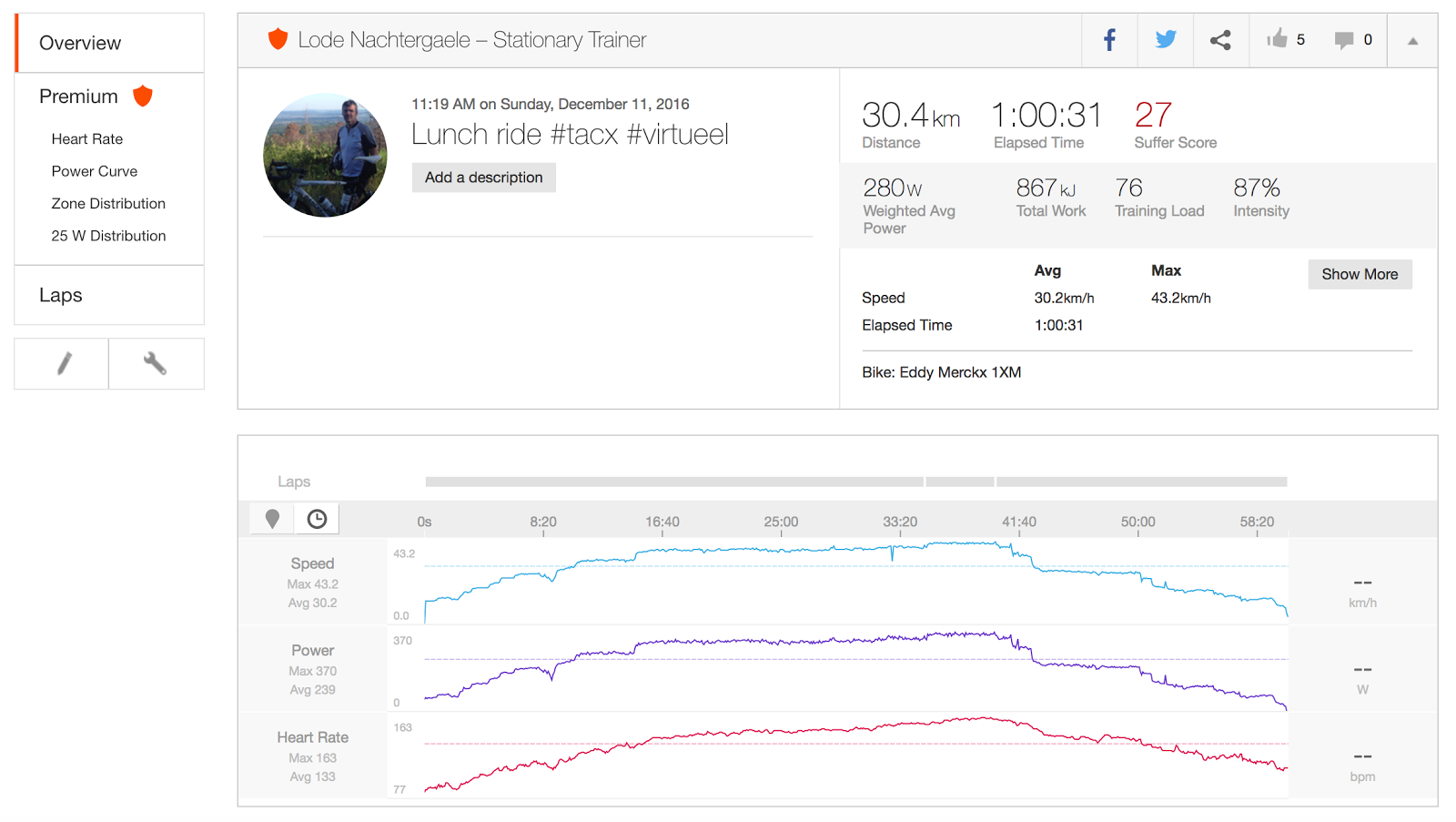
virtual power derived from the speed measurements on my Tacx trainer or by
power estimated by Strava on climbs (in that case estimated power by Strava is fairly accurate).
Update: Apparently,
the formula in the end of the blogpost from Dan Connely which I used in this blogpost was not correct and must be:
$P(t) = P_1 \frac{\tau_1}{t}( 1 - e^{\frac{-t}{\tau_1}} ) + \frac{P_2}{( 1 + \frac{t}{\alpha_2\tau_2} )^{\alpha_2}}$
Remark the extra $\alpha_2$ in the denomintator under $t$ in the last term of the formula.
Strangely, the confidence interval behaves strange. I have to look into it.
The estimated djconnel parameters of the updated model and their 95% confidence interval are:
- $P_1$ = 730.972437292 Watt, [638.464114912 823.480759673]
- $\tau_1$ = 19.9194404736 seconds [9.71207387339 30.1268070738]
- $P_2$ = 324.66235674 Watt [246.999942142 402.324771339]
- $\tau_2$ = 8793.18635004 [-12682.9310423 30269.3037424]
- $\alpha_2$ = 0.312268982434 [-0.16239984039 0.786937805257]
Only the $\tau_2$ parameter changed value, but the confidence interval indicated it does not converge. When starting the optimization function with other initial values, I get overflow errors. To be continued.
As
Dan remarked we can approximate $\frac{1}{( 1 + \frac{t}{\alpha_2\tau_2} )^{\alpha_2}} \approx (1-\frac{t}{\tau_2 \alpha_2})^{\alpha_2} \approx 1-\frac{t}{\tau_2}$ in the first order. In that case, we get:
The parameters of this simplified model are:
- $P_1$ = 753.75304433 Watt [676.513606926 830.992481733]
- $\tau_1$ = 27.1488626906 seconds [17.4753205281 36.822404853]
- $P_2$ = 275.99764045 Watt [238.468417448 313.526863451]
- $\tau_2$ = 53841.0314734 seconds [30850.1607097 76831.9022372]
Remark that in order to fit the curve the $\tau_2$ parameter must be very big to avoid to get negative power. Hence using the first order approximation is not a good idea.
Another idea I tested is to use a capacity for the second term of Dan Connely's function:
$P(t) = P_1 \frac{\tau_1}{t}( 1 - e^{\frac{-t}{\tau_1}} ) + \frac{P_2 \tau_2}{t+\tau_2}$
This gives the following fitting:
The parameters of this mixed djconel/veloclinic model are:
- $P_1$ = 743.251464989 Watt [666.223087684 820.279842294]
- $\tau_1$ = 23.648384644 seconds [14.5239744624 32.7727948257]
- $P_2$ = 297.690593484 Watt [253.858306164 341.522880804]
- $\tau_2$ = 24294.3750137 seconds [8540.40600978 40048.3440176]
The only thing I hoped to achieve is to offer some software to evaluate power models like those proposed by veloclinic, djconel and acogan. What we now need is a lot of power data so that we can ran those models quickly over that data to draw more solid/general conclusions.





 Posts
Posts


